Power It Up: running a gaming PC on a power station
Watt and watt-hour math for a gaming session, why the PSU rating isn't the draw, and which station handles the load and the switchover.
Published · Updated
A gaming PC plus monitor might draw around 400 W under load (example; measure yours). A 3-hour session is about 1,200 Wh, so a 1kWh-class station gives roughly 2 hours of play. The 245Wh RIVER 3's 300W outlet is too small. For a station that doubles as a backup supply, look at its switchover time.
- The PSU's rating (e.g. 850 W) is a maximum, not the real draw.
- Measure the whole setup at the wall during a game.
- Switchover time matters if the station sits between the wall and your PC.
What a gaming PC draws
| Item | Example figure | Where it comes from |
|---|---|---|
| PC + monitor under game load (example) | 400 W | Measure with a plug-in meter; varies widely by GPU and game |
| Idle / desktop (example) | 100 W | Example only |
| 3-hour session at 400 W | 1,200 Wh | 400 × 3 |
How we do the math
Runtime (hours) ≈ usable watt-hours ÷ the device's average watts. Our reference set is five portable power stations whose specs we compiled in the Spec Check series. Estimated usable AC energy (our estimate: usable ≈ rated Wh × 0.80 (usable depth, Victron LiFePO4 data) × 0.92 (inverter, the NREL PVWatts manual derate) ≈ 0.736. Applying these to a power station gives a planning estimate, not a measurement): RIVER 3 ≈180Wh, DELTA 3 ≈754Wh, Anker C1000 ≈777Wh, Jackery 1000 v2 ≈788Wh, BLUETTI AC180 ≈848Wh.
Every device wattage on this page is an example. Read your own device's label or EnergyGuide sticker, or measure it with a plug-in energy meter, then put your number into the Power Planner.
Runtime on each reference station
| Power station | Est. usable Wh | Est. runtime |
|---|---|---|
| EcoFlow RIVER 3 | ≈180 | Not suitable (300W outlet) |
| EcoFlow DELTA 3 | ≈754 | ≈1.9 h |
| Anker SOLIX C1000 | ≈777 | ≈1.9 h |
| Jackery Explorer 1000 v2 | ≈788 | ≈2.0 h |
| BLUETTI AC180 | ≈848 | ≈2.1 h |
The smallest station that fits
Any of the four 1kWh-class stations handles a 400 W example load. If you want it to keep the PC on through a blackout, the DELTA 3 publishes the shortest switchover (<10 ms); the C1000 and Jackery publish 20 ms or less. Jackery's own support page warns its UPS function is not a zero-interruption UPS for workstations.
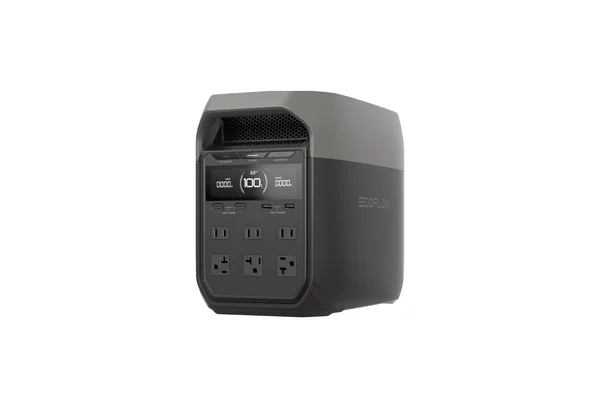
EcoFlow DELTA 3 (1,024Wh)
1,800W output and a published <10 ms switchover.
Check price on Amazon (opens in a new tab)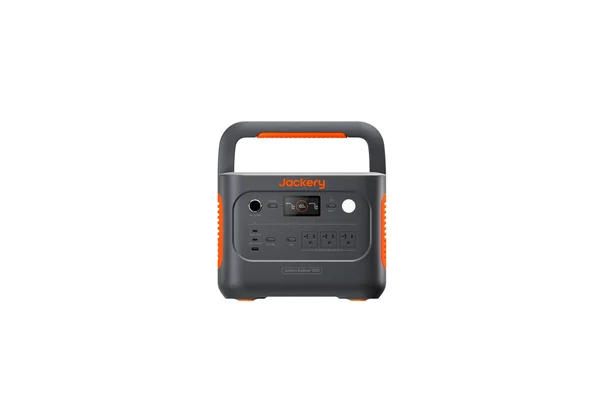
Jackery Explorer 1000 v2 (1,070Wh)
1,500W output and ≤20 ms switchover in a 23.8 lb unit.
Check price on Amazon (opens in a new tab)FAQ
Will a power station work as a UPS for my PC?
Many have a switchover feature, but switchover times differ and some makers say not to rely on it for critical workstations. Check the published figure and save your work often.
Where do I go next?
Try the power planner to put numbers to your own situation, or see the product picks on the deals page.
Terms used here
- Watt (W)
- Rate of power use or production.
- Watt-hour (Wh)
- Energy: one watt for one hour.
- Depth of discharge (DoD)
- Share of a battery's capacity that is used.
- LiFePO4 (LFP)
- Lithium iron phosphate battery chemistry.
- Inverter
- Converts DC battery power to AC household power.
- Derate
- Factor for real-world losses in solar output.
Sources
This guide is informational and based on published specifications and general references, not hands-on testing. Check the manufacturer's current specs before you buy.